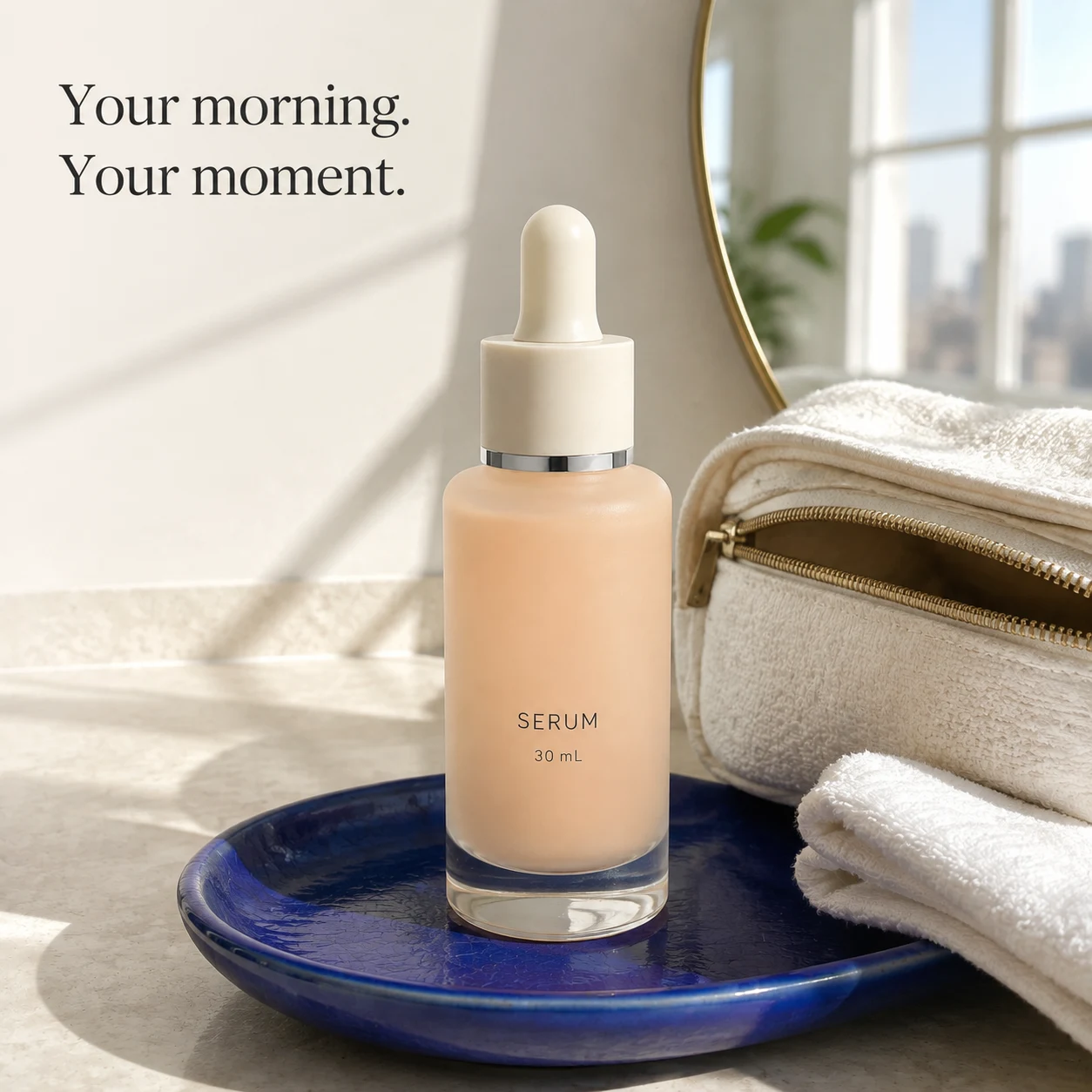
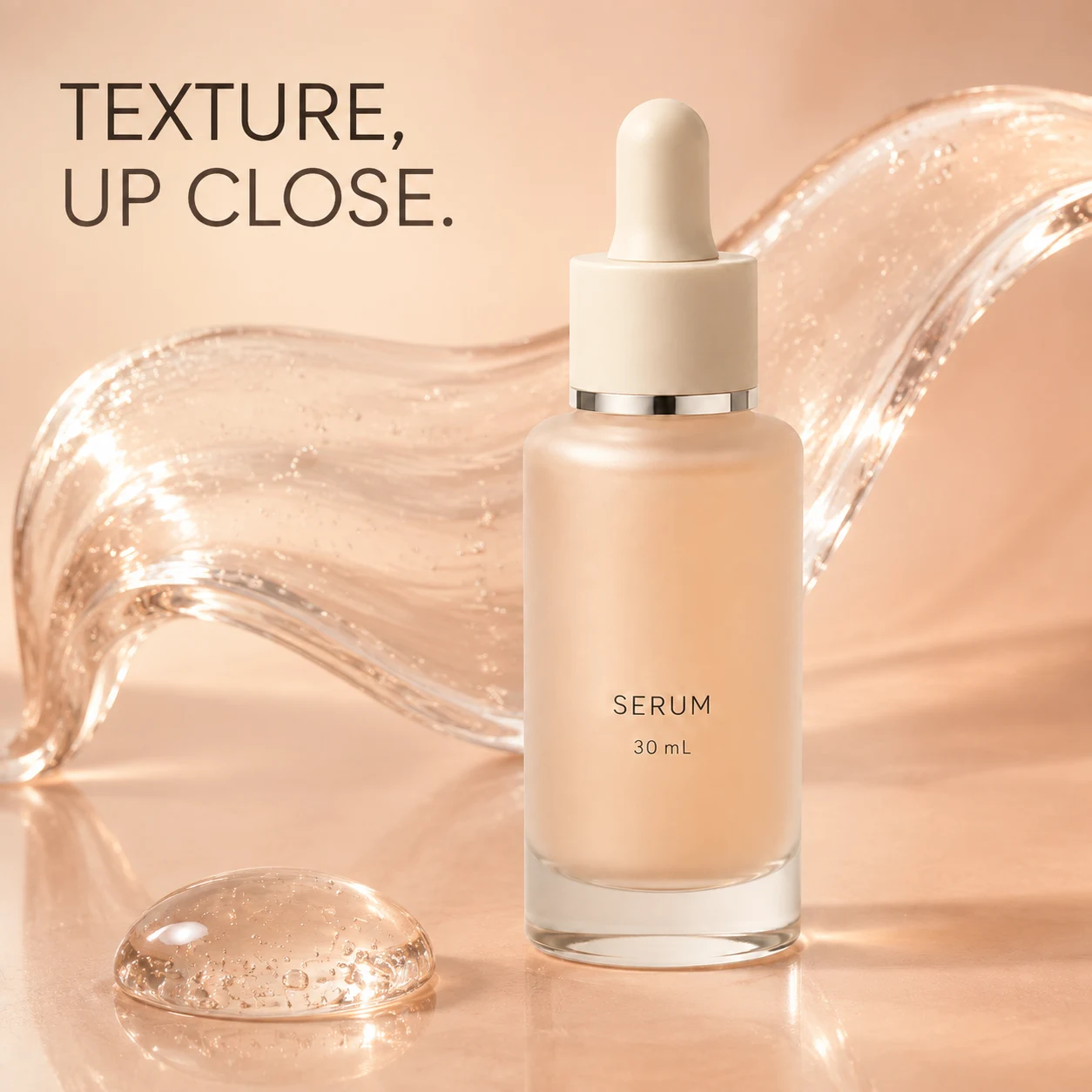
The square ad is finished. Making a vertical version sounds like a small extra job. But look at the serum image below: the headline is on the left, the bottle on the right. A central crop might keep the bottle and cut off the words. The problem is not resolution. The old arrangement no longer fits.
The crop might remove the point of the picture
 Enlarge image
The bottle is not the only important element. The headline introduces texture, and the gel across the picture supports that thought. Crop one side away and the product might survive while half the message disappears.
Here is a simple geometry check, not a platform rule. Keep a square image's original height and crop only the sides. How much of the original width disappears?
| Target ratio | Original width removed in total |
|---|---|
| 4:5 | 20% |
| 9:16 | About 44% |
With almost half the width gone, not every element can stay where it was. Deciding what must survive first can save more time than starting with an automatic crop.
For 4:5, try a crop but do not force it
Cropping is perfectly reasonable when the edges are empty background. In this image, though, there is text on the left and a bottle on the right. Preserving a crop workflow is not a good reason to keep half a headline.
I would start with a version without the added headline, fit the complete bottle into the 4:5 canvas, then set the words separately. Less of the gel can remain as long as the relationship still reads. Decoration is expendable; the cap, base and important packaging text are not.
If the flattened image is all you have, ask for the source file or a version without the headline first. Do not put fresh text over the old words or squeeze the whole image narrower to make it fit.
For 9:16, replace left and right with top and bottom
On a narrower canvas, copy on the left and a product on the right can squeeze both. I would try a short headline above the complete bottle, with the gel behind it. The thought stays the same; the reading order changes.
Extending the background is another option, but extra empty space does not solve everything. If the original bottle now looks tiny, reconsider its size. After an expansion, also check whether the cap, silhouette or glass edges changed along with the surroundings.
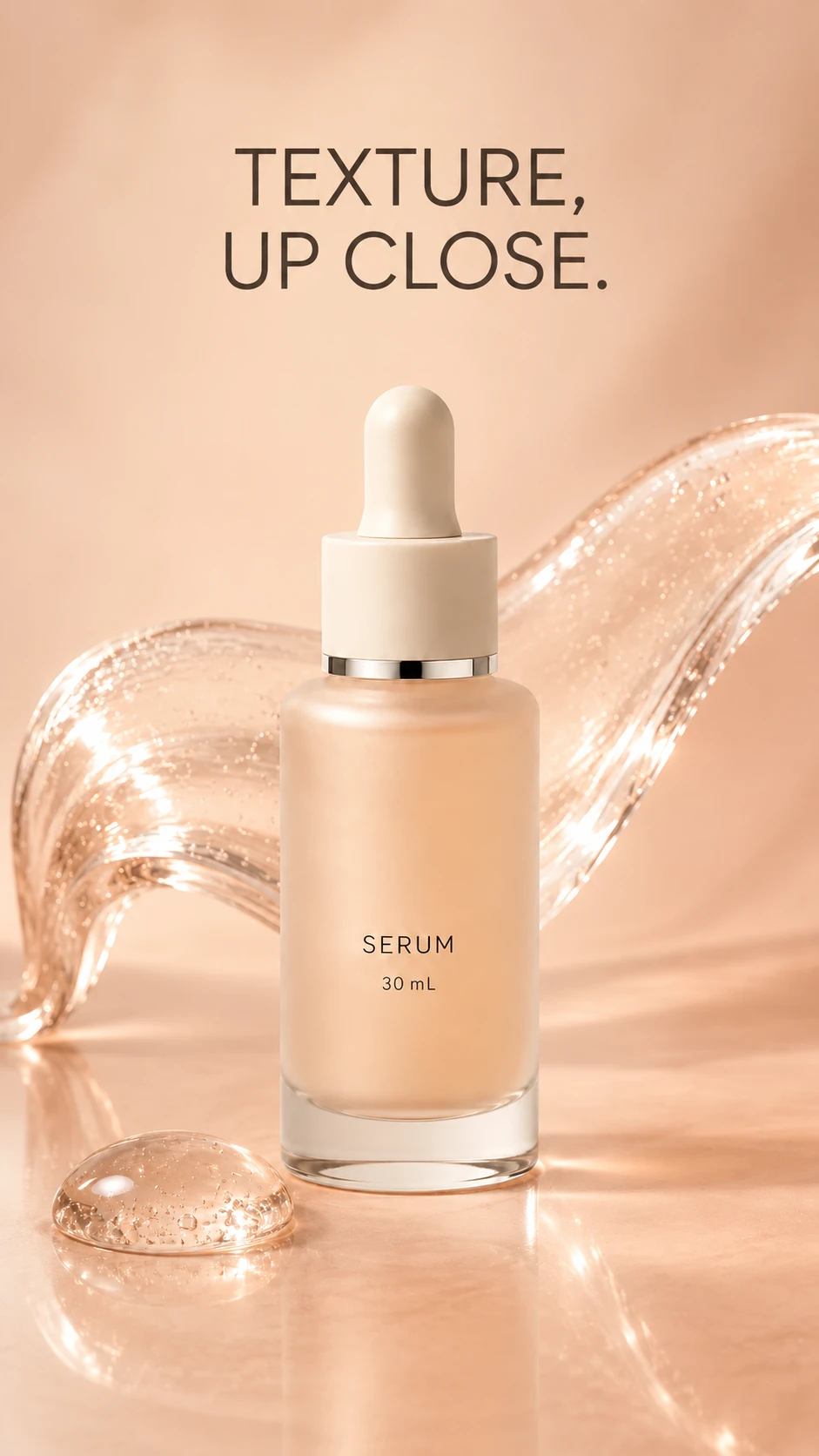
We made an actual portrait edit from the square input above. To compare whether the headline survives, this request retained the existing words and moved them above the bottle. It was not a text-free output presented as a finished layout.
Recompose the square input into a 9:16 portrait, without cropping or stretching the product. Place the complete TEXTURE, UP CLOSE. headline above the complete centered bottle. Keep gel behind it and clear of the label. Preserve the peach bottle, ivory dropper, silver ring, clear base and SERUM / 30 mL lettering as closely as possible. Leave space at the top and bottom. Add no platform interface, safe-area lines, benefit claims, sales numbers or buttons. Output one portrait, not a comparison collage.
Direct 9:16 center crop
Enlarge imageActual portrait draft
 Enlarge image
The left is not an artificially damaged version. It keeps the original height and takes a 9:16 crop from the center. The product survives, but the beginning of the headline does not. On the right, rearrangement preserves both, with a clear reading order from words to product.
The right is not a perfect extension of the original either. The gel was redrawn, and the bottle reflections and glass base changed. It shows how rearrangement can make room for content, not automatic product fidelity. This near-9:16 generated draft has not been checked in a live advertising placement preview.
For production I would still keep an image without the headline and a separate editable type layout. Here the headline is baked into the generated image, not an editable text layer. Changing the language later should not mean dismantling a whole poster.
Finish in the placement preview, not the design canvas
Empty space in the design may not remain empty when published. Account information, interface buttons and display crops can change the result. Rather than draw one supposedly universal safe-area line, inspect the specific placement you intend to use.
- At normal viewing size, do you notice a recognizable product or an unclear shape?
- Is the headline complete, and is essential packaging text readable?
- Does the actual interface cover the product, price or key message?
- After expansion, does the item still match the original product photos?
Keep the version without the headline, the editable layout and the export for each ratio separately. A later copy change should not require regenerating the product just to move a few words.
Key takeaways
- See what a crop would remove before choosing cropping or rearrangement.
- Handle the product, headline and decoration separately in a vertical layout.
- The 4:5 and 9:16 ratios are exercises here; check the actual placement preview before publishing.
Identify the product you must keep, the words people must read and the decoration you can lose. Preserve them in that order, not according to what happens to be in the center.