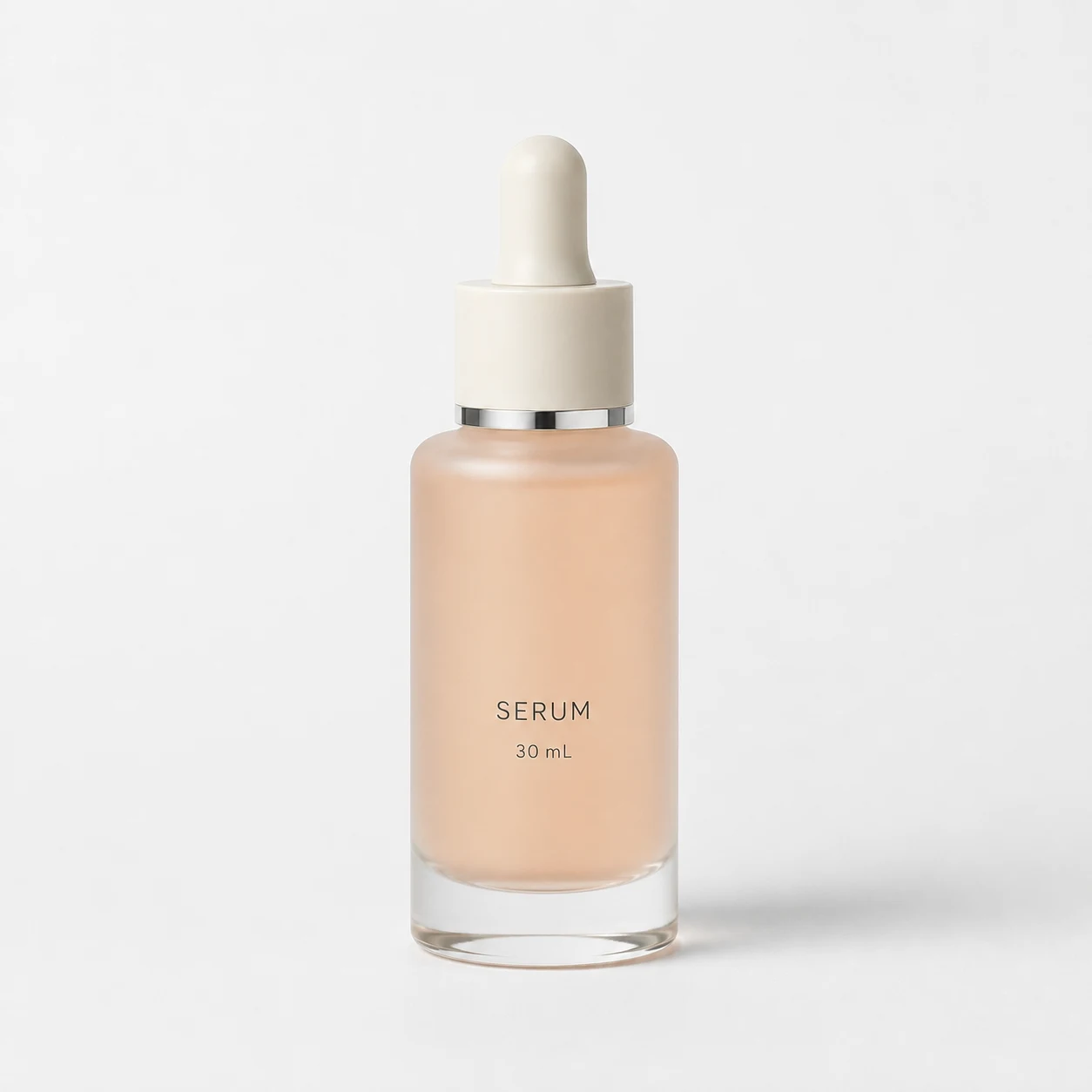
For a creative showcase, I would notice the middle image first. That sweep of gel catches my eye more than a bottle on its own. Change the assignment to preparing a Shopping main image, though, and I would start with the image on the left. My taste has not changed. The job has.
A is the least dramatic. I would keep it first.
 Enlarge image
The thing most likely to get this image dismissed is also its strength: very little competes for your attention. The ivory dropper, silver neck ring, SERUM lettering and 30 mL line are easy to find. Beside a product reference, it is a much easier starting point for a detail check than a busy set of props.
Google's main-image guidance calls for an accurate, complete product view without added promotional elements. Lettering on the actual packaging is different from advertising copy added afterwards. Google Merchant Center: Image link
This is not a vote for plain backgrounds over creative ones. It is a decision to make the item easy to identify first. A is a composition I would retain, not a generic main image ready to use for any serum. It is an example; the shape, colour and label must match the actual item you sell.
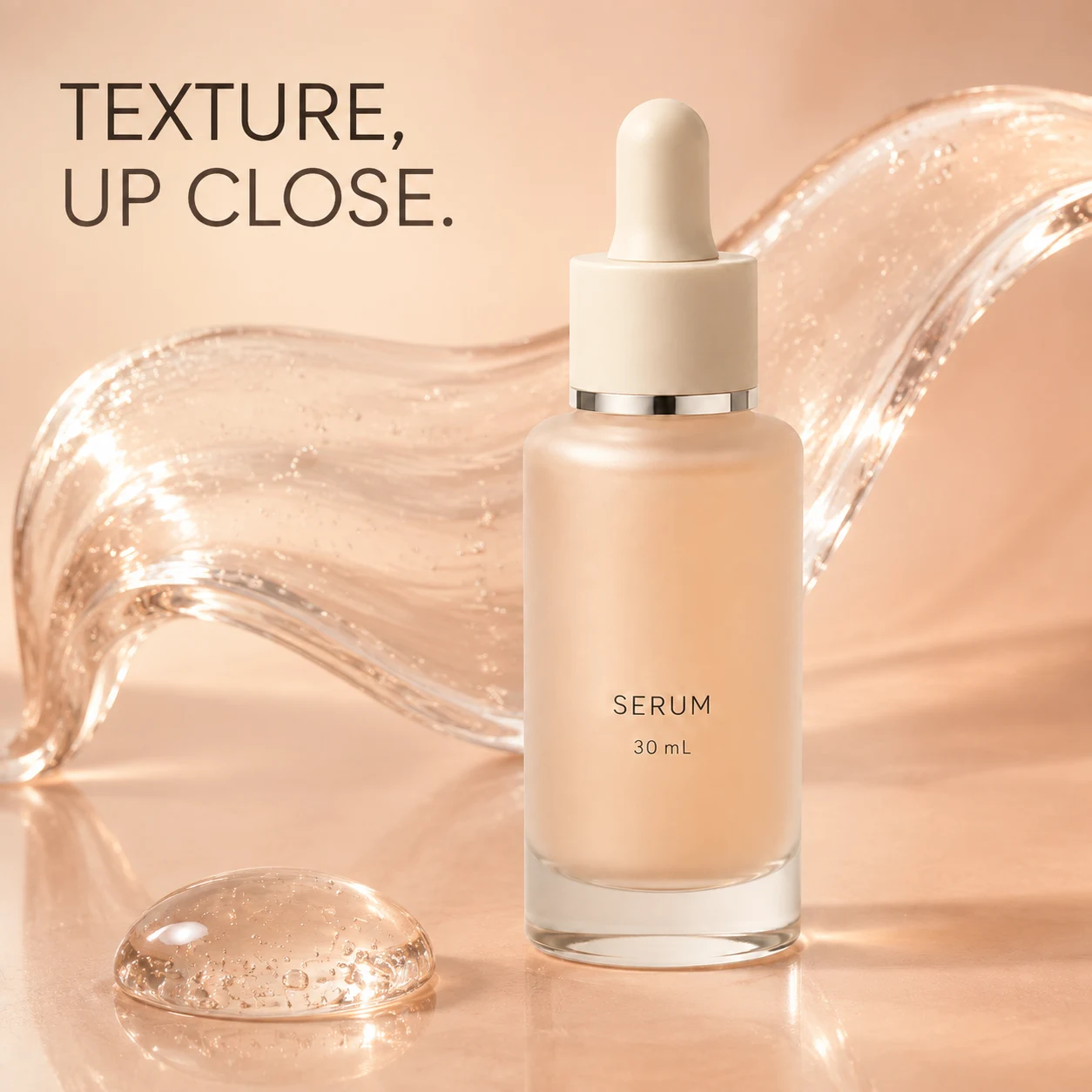
B catches the eye. But the gel is making a claim of its own.
 Enlarge image
Read TEXTURE, UP CLOSE., then look at the transparent drop in the foreground. Even without words such as hydrating or lightweight, the image invites you to imagine how this product feels. It has moved beyond showing the packaging.
That gives me a reason to keep it as a Meta or Instagram creative candidate: it has one visual idea, instead of a larger bottle surrounded by five selling points. This is an editorial choice, not a finding about campaign performance.
I would not send it straight back to a designer with instructions to make more of the same. If the real serum is watery, coloured or simply not this kind of clear gel, a more convincing image could make the misunderstanding worse. I would ask for an actual texture photo before taking this direction further. Without one, I would choose an idea that does not imply a specific texture.
I would also keep this headline-bearing version out of the Shopping main-image slot. Erasing the words would not finish the job: whether the gel accurately represents the product would still be unresolved.
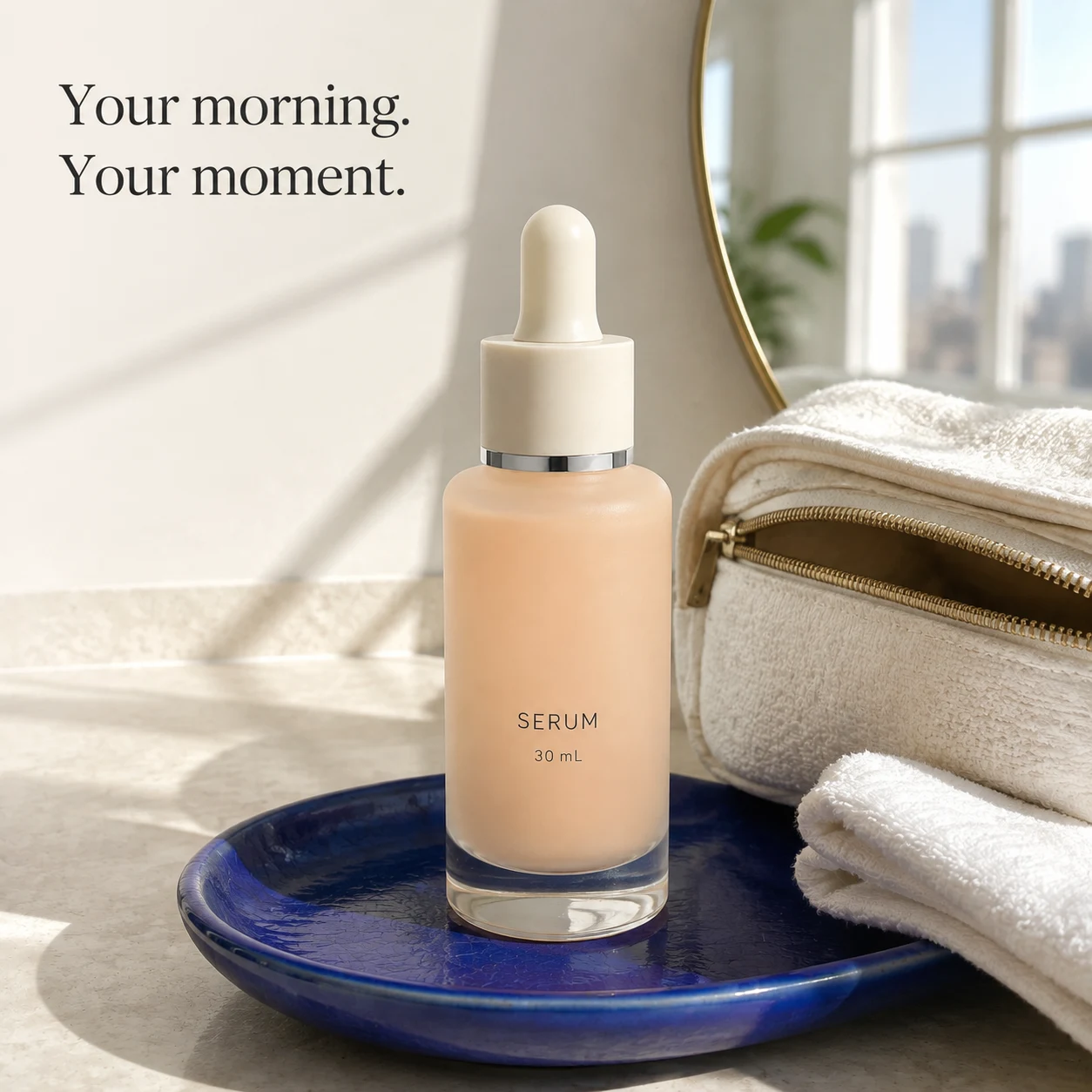
C gives the product a moment. It also gives it competition.
 Enlarge image
Your morning. Your moment. The mirror and towels make that headline about a routine, not a close-up of a formula. Together, B and C offer two genuinely different messages rather than two background colours.
I would look at C at a smaller size before adding anything else. The bag on the right is prominent, and the blue tray has a strong presence. If a viewer remembers the props but cannot identify the bottle, the setting is doing too much. I would reduce the bag's prominence and make the bottle easier to read before adding plants or splashes.
That does not mean lifestyle photography cannot show a product. For this particular version, the headline and supporting objects make me more inclined to keep it for everyday content or feed creative. Whether it brings more orders than B remains unknown.
You've picked the image. Can you upload it now?
Once you have picked A, downloading it and adding it to the product page seems like the obvious next step. But the version on a webpage may be a compressed preview, not the full-resolution original from your designer.
I checked the three images in this article: all are 1254 × 1254 pixels, smaller than Google's recommendation of 1500 × 1500 or above. That does not mean they would be rejected for size. Google Merchant Center: Image link
There is no need to stretch a small image just to reach that number. A label you cannot read will usually still be unreadable after resizing. Ask your designer for the full-resolution original instead, then zoom in to check the bottle, label and edges before uploading.
If your account reports that an image is too small, check the actual uploaded file against that message, not just the preview in a chat window. Requirements can vary by placement; Google's image-size guide explains what to check. Google Merchant Center: Fix an image that is too small
Made with AI? Keep the source label in the file.
There is one more thing you cannot check just by looking: Google requires AI-generated product images to retain a source label inside the file. This information is called metadata. It is not a visible AI-generated caption or a different filename. Google Merchant Center: AI-generated content
The inspection did not return information blocks that could hold these labels for any of the three display images, so their AI source labels remain unverified. These are webpage copies, though, not the original generated files. The originals still need a separate check.
You do not have to learn file inspection first. Send Google's guidance to your designer or image-tool provider and ask: 'Does the AI source label stay in the file after export and upload?' Keep the original generated file, then ask them to check the final uploaded version too. Sharp-looking pixels cannot answer that question.
I would hand over two directions, not one all-purpose winner.
The product version would start with A's approach: show the complete item, match the real SKU, then resolve the file and source information. The creative version would start with B or C: texture or a morning routine. Choose the idea that fits the product instead of combining both just because both look appealing.
Two directions do not necessarily mean twice the production time. They do need separate names and separate files. Overwriting the clean product version with a headline-bearing creative means someone has to undo the work when a main image is needed again.
I would resolve B's texture question and C's competing props before discussing which one to test. The creative task is not to invent a product story. It is to make something genuinely true about the item easier to notice.
Replace 'make it more premium' with a brief like this.
Here is how I would pass the decision to a designer or generation tool. Keep two deliverables, without asking for a dozen styles in the first round.
Product: serum bottle; use my real product references and specifications. Keep unchanged: bottle shape, dropper, silver ring, label, capacity and actual colour. Product version: show one complete bottle, without added headlines or props. Creative version: choose either actual texture or a morning routine first. Do not invent the formula's texture or let props obscure the item. Delivery: save product and creative versions separately, with editable advertising copy. Product image URL: to be added; check the downloaded file's px / MB / format. AI source: Pending verification; record the actual field and value, not just a filename.
Key takeaways
- In this set, I would start with A for product checks and keep B and C as creative candidates.
- B's gel and C's bathroom props change the product story; they are not neutral decoration.
- After choosing the composition, ask for the full-resolution original and check that the upload retains its AI source label.
Put your product view beside two creatives. Instead of asking which looks best, ask what each one tells a buyer first, and whether it says anything the product cannot support.
Further reading
Sources checked: